SPARC vs OptiSigns: Which Enterprise Digital Signage Platform Is Right for You?
Affordable cloud digital signage with app-based content management. If you're evaluating a OptiSigns alternative, compare features, pricing, sync capabilities, and which solution fits your enterprise deployment needs.
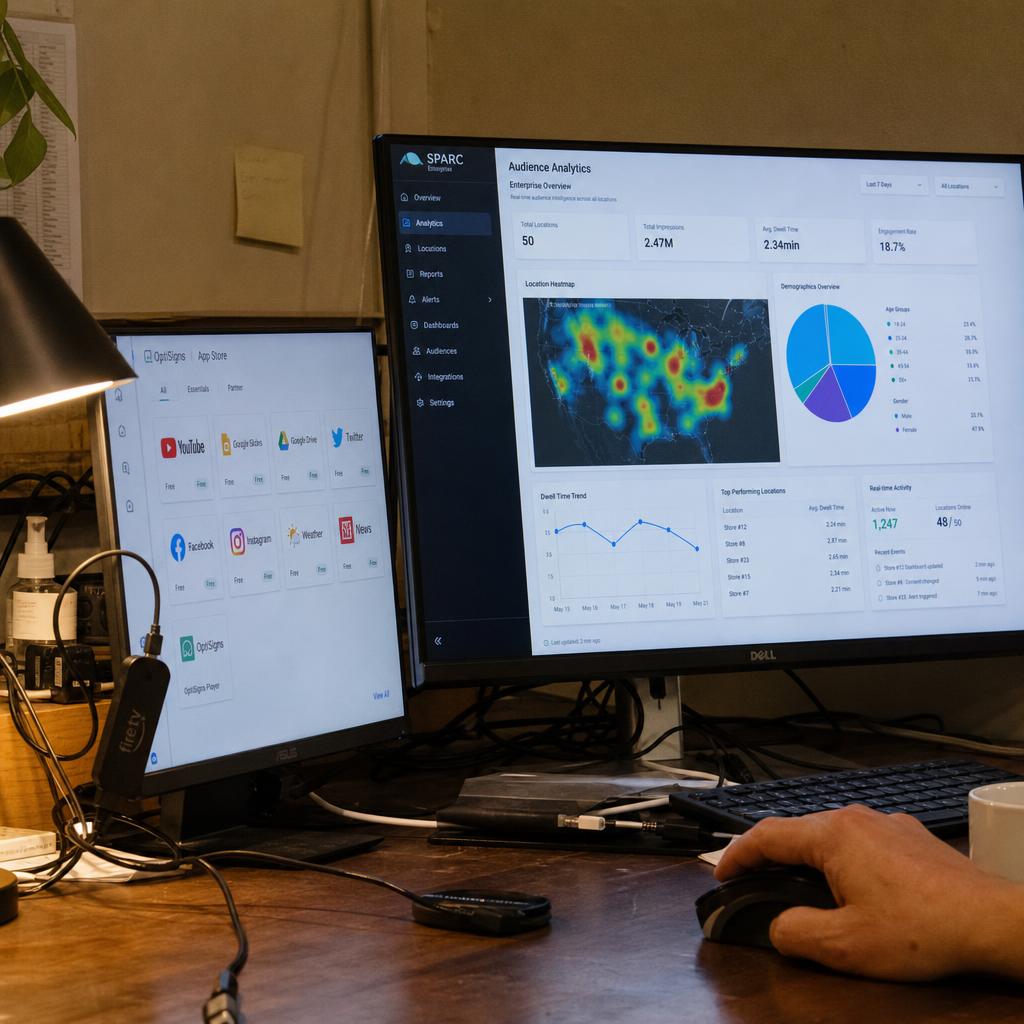
Quick Comparison
| Feature | SPARC | OptiSigns |
|---|---|---|
| Frame Sync Latency | <50ms | Not supported |
| Max Screens (Single Instance) | Unlimited | Unlimited (cloud) |
| 4K 60Hz Support | ✓ | ✓ |
| Built-in Redundancy | ✓ | ✗ |
| AI-Driven Content | ✓ | ✗ |
| Enterprise SSO/RBAC | ✓ | Enterprise tier |
| App Integrations | API-first | 150+ apps |
| Hardware Agnostic | ✓ | Android, Fire TV, Windows, Raspberry Pi |
| Best For | Enterprise | SMB / Mid-Market |
The Short Answer
TL;DR — Which platform should you choose?
Choose SPARC if...
Choose SPARC when you've outgrown putting content on a screen — when your video wall shouldn't need a hardware controller, when you need to prove to the board that people are actually watching, and when your marketing team needs to launch at 9am and have it live in every store by 9:01 without calling anyone. One interface controls your screens, your lighting, your fog machines, and your door locks.
Choose OptiSigns if...
Choose OptiSigns if you have simple signage needs — a few screens, basic content scheduling, and you value an extensive app library at a low monthly cost per screen.
Key Differentiator
OptiSigns puts content on screens. SPARC orchestrates entire commercial spaces — software-defined video walls (no hardware controller), AI audience measurement (who's looking, how long), environment control (screens + lighting + fog + audio from one tablet), and 12-level RBAC with content snapshots for enterprise governance.
OptiSigns is a foreign platform. SPARC is not.
For Australian enterprise, government, healthcare, and financial services buyers, four factors make the choice straightforward — regardless of feature parity.
Your data stays in Australia
SPARC is hosted on AWS Sydney (ap-southeast-2). Your content, audience data, and configuration never leave Australian jurisdiction. OptiSigns is headquartered overseas — data residency is offshore by default.
Australian Privacy Principles compliantAUD pricing — no currency risk
SPARC invoices in Australian dollars. Your budget is certain across the financial year. OptiSigns prices in foreign currency — exchange rate swings directly affect your SaaS spend with no hedging mechanism.
Billed in AUD · GST-ready invoicesSupport in your time zone
SPARC's team operates in AEST business hours. When something urgent happens at 9am on a Monday in Sydney, you're not waiting for another continent to start its day. OptiSigns support operates from offshore time zones.
AEST business-hours supportRegulated sector compliance
Australian government, healthcare, and financial services procurement often mandates Australian data hosting. SPARC meets that requirement as standard. Offshore SaaS may require a costly data residency exemption — or fail the tender entirely.
Government · Health · Finance readyHead-to-Head Feature Comparison
What SPARC Does Better
Software-Defined Video Walls — Design from Your Browser
SPARC handles video walls entirely in software — L-shapes, staggered clusters, mixed resolutions (4K + 1080p), bezel compensation, frame-accurate sync. Four modes: Mirror, Span, Stretch, Zones. Freeform canvas layout builder. No hardware controller.
OptiSigns supports basic multi-screen layouts but does not offer frame-level synchronisation, freeform layouts, mixed resolutions, or bezel compensation.
Why It Matters
You need a video wall but every quote includes a $15K hardware controller and an integrator for every layout change. SPARC handles it in software — your marketing team designs any layout from a browser tab.
Use Cases
- Automotive showrooms reconfiguring walls for each product launch — self-service
- Retail flagships running L-shaped and staggered wall layouts without hardware changes
- Museums deploying exhibition video walls without calling a technician
Prove Your Screens Are Working — Not Just On
AI vision counts foot traffic, reads demographics, measures attention and dwell time. Screens adapt to who's in the room — automatically. No images stored. No faces remembered. No surveillance.
OptiSigns provides basic proof-of-play (what played, when). No audience measurement. No demographic data. No content performance analytics.
Why It Matters
You spent a fortune on screens. The board asks for ROI. You have nothing. SPARC gives you the numbers — who looked, how long they stayed, which content actually held their attention. The same audience intelligence your website gives you, now for your stores.
Use Cases
- Retail: Saturday afternoon crowd skews younger — screens shift to new-season launches automatically
- Hospitality: Proving to the board that lobby screens are driving guest engagement
- Automotive: Measuring dwell time at the showroom configurator and correlating with test drive bookings
The Lights Dim, the Screens Shift, the Fog Rolls In
One interface controls screens, lighting, fog machines, door locks, audio, and sensors. Scene presets save complete environment states. Your audience thinks it's magic — you know it's one button.
OptiSigns manages content on screens. Lighting, audio, fog machines, and environmental control require separate systems with separate interfaces.
Why It Matters
Your flagship store wants ambient lighting to shift with on-screen campaigns but can't bridge the systems. Your escape room has screens, lighting, and audio on three separate systems with a technician coordinating manually. SPARC controls all of it from one tablet.
Use Cases
- Entertainment venues where scene transitions involve screens, lighting, fog, and audio in perfect sync
- Flagship retail where ambient lighting shifts with on-screen campaigns
- Simulation centres where instructors currently juggle three interfaces to set up a training scenario
Enterprise Governance — 12-Level RBAC + Content Snapshots
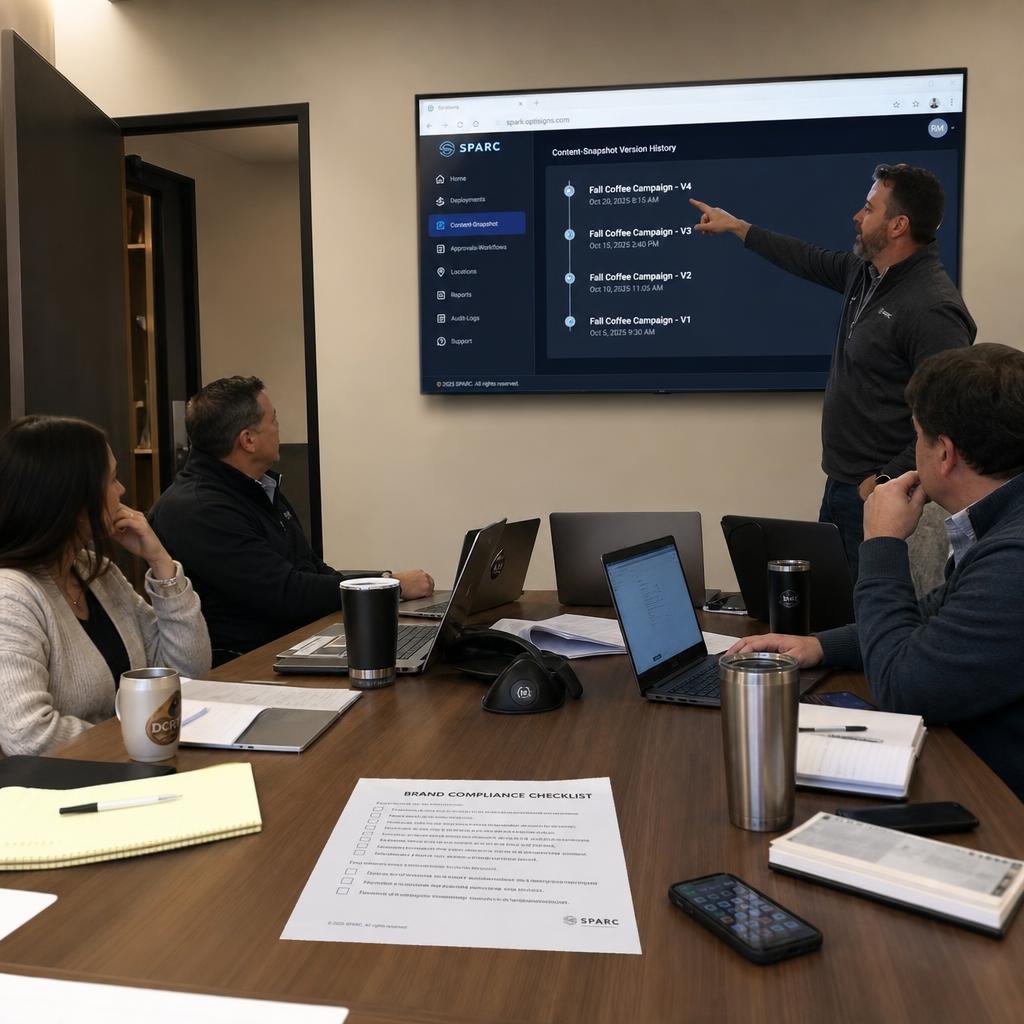
12 distinct user roles with granular permissions, workspace isolation, SSO, audit trails. Content snapshots freeze campaign state at deployment. Your marketing team gets self-service. Your IT team gets compliance.
OptiSigns offers enterprise-tier roles and SSO but lacks granular 12-level RBAC, workspace isolation, content snapshots, or comprehensive audit trails.
Why It Matters
When 30 people across 50 locations can edit content, you need to know who changed what, when, and ensure brand compliance. Content snapshots mean campaigns deploy consistently even if someone edits the source material afterward.
Use Cases
- Franchise networks requiring brand compliance across 200+ locations
- Healthcare and financial services with regulatory audit requirements
- Multi-national deployments with workspace isolation per region
What OptiSigns Does Better
Extensive App Library & Integrations
SPARC uses an API-first approach for integrations. More powerful but requires development for custom integrations.
OptiSigns offers 150+ pre-built apps and integrations including Google Slides, social media feeds, weather, news, dashboards, and scheduling tools — all installable with one click.
Why It Matters
For organisations wanting quick content variety without development work, OptiSigns' app ecosystem provides immediate value with minimal setup.
Use Cases
- Offices displaying KPI dashboards and calendars
- Restaurants with social media and review integrations
- Lobbies showing news, weather, and welcome messages
Budget-Friendly Pricing for Small Deployments
SPARC offers Starter, Pro, and Enterprise tiers with a 14-day free trial. Enterprise pricing reflects included capabilities — redundancy, AI analytics, and white-glove support.
OptiSigns offers highly competitive pricing with a free tier and affordable entry-level plans. No enterprise sales process required.
Why It Matters
For small businesses and single-location deployments with 1–20 screens, OptiSigns delivers solid digital signage at a fraction of enterprise platform costs.
Use Cases
- Single-location retail stores (1–5 screens)
- Small restaurant chains (digital menu boards)
- Office lobbies and meeting room displays
Broad Hardware Compatibility
SPARC supports enterprise-grade hardware with managed deployment and configuration.
OptiSigns runs on a wide range of affordable hardware including Amazon Fire TV Stick, Raspberry Pi, Android TV, Chrome OS, Windows, and Linux — keeping hardware costs low.
Why It Matters
Low-cost hardware options like Fire TV Stick significantly reduce deployment costs for businesses with simple signage requirements.
Use Cases
- Budget deployments using consumer hardware
- Quick prototyping on existing TVs
- BYOD environments with mixed hardware
Which Platform Fits Your Use Case?
Real-world scenarios comparing SPARC and OptiSigns
Enterprise Automotive Network (30 Showrooms, 600 Screens)
SPARC Advantage
Full environment orchestration with frame-perfect sync creates immersive showroom experiences. AI adapts content to visitor demographics. Built-in redundancy ensures zero downtime.
OptiSigns Consideration
OptiSigns can schedule content to individual screens but cannot synchronise displays, integrate sensors, or provide the redundancy needed for premium automotive environments.
Restaurant Chain (25 Locations, 100 Screens)
SPARC Advantage
Enterprise capabilities available but likely exceed requirements and budget for standard menu board deployments.
OptiSigns Consideration
OptiSigns' affordable pricing, menu board templates, scheduling tools, and social media apps make it ideal for restaurant chains with straightforward signage needs.
Corporate Campus (3 Buildings, 150 Screens)
SPARC Advantage
Enterprise SSO, RBAC, and governance controls. AI-driven content prioritisation for internal communications. Multi-building management with role-based access.
OptiSigns Consideration
OptiSigns handles corporate signage well at smaller scale with dashboard apps and scheduling. Enterprise governance features are limited.
Switching from OptiSigns to SPARC
Migration path, timeline, and what to expect
Why Customers Migrate from OptiSigns
Couldn't prove screens were working — board asked for ROI, had nothing
- Proof-of-play confirmed the screen was on, not that anyone looked
- No foot traffic, no dwell time, no demographic data
- Needed the same audience intelligence for stores that the website provides online
30 people across 50 locations editing content — nobody knew who changed what
- No granular RBAC — anyone could edit anything
- No audit trails for compliance or brand governance
- Content snapshots and workspace isolation needed for multi-site brand consistency
Screens, lighting, and audio on separate systems — technician coordinating manually
- Flagship experiences required screens, lighting, fog, and audio in sync
- Three systems, three logins, manual coordination for every scene transition
- Wanted one interface for the entire commercial environment — screens to fog machines
Typical 90-Day Migration Timeline
Assessment
- Current state analysis
- Gap analysis
- ROI modeling
- Pilot location selection
Pilot Deployment
- Install SPARC at 1–3 locations
- Run parallel with existing system
- Train pilot team
- Measure improvements
Content Migration
- Automated content import
- Template conversion
- Integration testing
- User acceptance testing
Full Rollout
- Phased deployment
- Cutover scheduling
- Final training
- Post-deployment optimization
Migration Is Included
White-glove migration from OptiSigns to SPARC, at no extra cost
What's Included
- Dedicated migration project manager
- Automated content import (no manual rebuild)
- Integration preservation (APIs reconnected)
- Training for all user levels
- 90-day enhanced support post-launch
- Parallel run period (zero risk)
Common Concerns Addressed
"We've invested heavily in OptiSigns content"
We import existing content automatically. Templates convert to SPARC format. Design investment preserved.
"Our team knows OptiSigns inside and out"
4-hour training gets teams productive. Most users say SPARC is easier after the adjustment period.
"Downtime during migration is unacceptable"
Pilot approach means zero downtime at production locations until you're confident. Cutover happens location-by-location.
Real-World Migration Results
Entertainment Venue Upgrades 200 Screens from OptiSigns to SPARC
Previously on: OptiSigns
Migration Trigger
Venue expanded to include immersive experiences requiring synchronised video walls, sensor-triggered content, and coordinated lighting — capabilities beyond OptiSigns' screen-focused approach.
SPARC Implementation
- Phase 1: Pilot in main atrium (3 weeks)
- Phase 2: Content migration and experience design (5 weeks)
- Phase 3: Full venue rollout with environment orchestration (6 weeks)
- Phase 4: AI analytics activation and optimisation (ongoing)
| Metric | Before | After (SPARC) |
|---|---|---|
| Guest Dwell Time | 8 minutes | 22 minutes |
| Display Uptime | 97.2% | 99.9% |
| Content Update Speed | Hours (manual) | Minutes (automated) |
| Revenue per Visitor | Baseline | +18% (AI-attributed) |
Frequently Asked Questions
SPARC vs OptiSigns
Can SPARC run my video wall without a hardware controller?
Yes. SPARC handles video walls entirely in software — L-shapes, mixed resolutions, bezel compensation, frame-accurate sync. No $15K hardware processor. Design any layout from your browser. OptiSigns doesn't offer frame-level synchronisation between displays.
Will SPARC show me who's actually looking at my screens?
Yes. AI vision counts foot traffic, reads demographics, and measures dwell time and attention. You get the same audience data for your stores that your website gives you online. No images stored. No faces remembered. OptiSigns offers proof-of-play only.
Can SPARC control lighting and audio with my screens?
Yes. One interface controls screens, lighting, fog machines, door locks, and audio. Scene presets save complete environment states. OptiSigns manages screens only — everything else requires separate systems.
Can a single restaurant use SPARC?
Yes. SPARC's Starter tier includes core features for small deployments, and every account starts with a 14-day free trial — no credit card required. The same platform scales to a national chain with video walls across 40 sites. Add capabilities as you grow.
How is SPARC's governance different from OptiSigns?
SPARC has 12-level role-based access control with workspace isolation, SSO, audit trails, and content snapshots that freeze campaign state at deployment. Your marketing team gets self-service control. Your IT team gets compliance and accountability.
Is SPARC a good alternative to OptiSigns?
Yes. Teams looking for an OptiSigns alternative choose SPARC for enterprise-grade synchronisation, AI audience analytics, and multi-site management built for scale.
Ready to Compare?
See the difference for yourself
See SPARC in Action
45-minute live demo. Frame-perfect sync, live failover test, content deployment across 1,000+ screens, and industry-specific integrations.